Verify bank transfers, approve student slips, and record cash payments manually.
When a student pays via bank transfer or deposits a slip, they upload the proof to their portal. On your end, the invoice status changes to Pending Approval. It is your job to check the proof and confirm the payment so the student can access their class.
1. Locate Pending Approvals
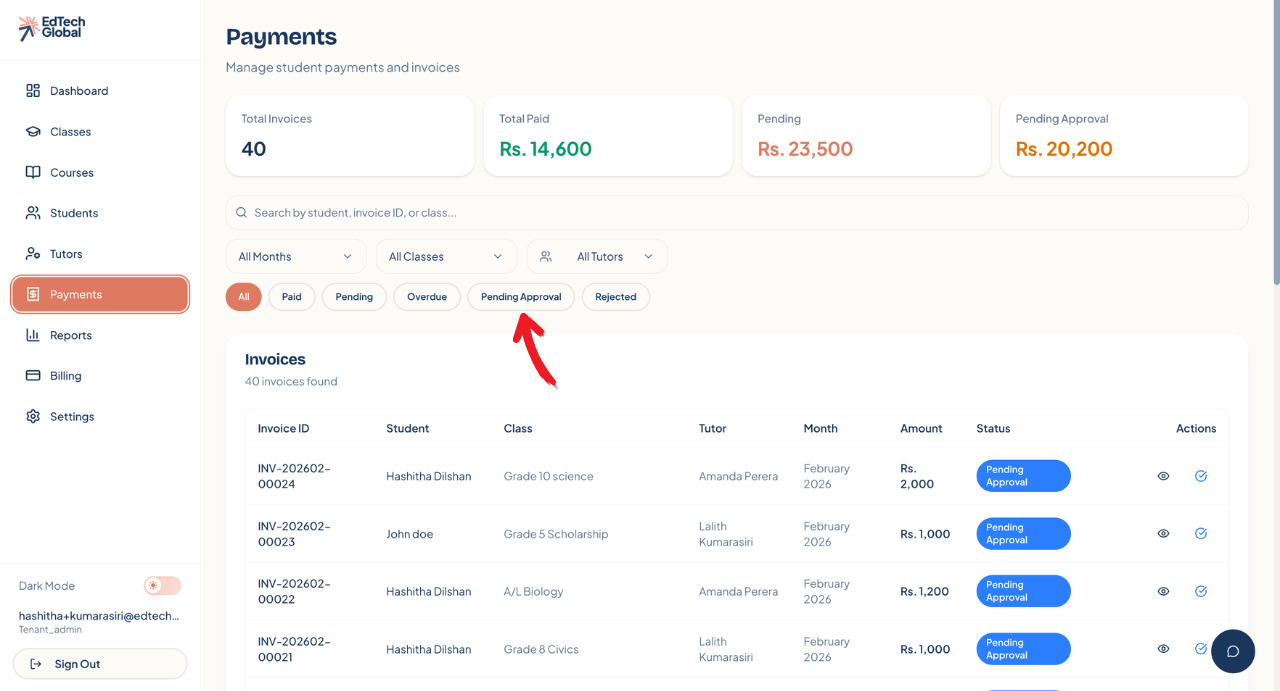
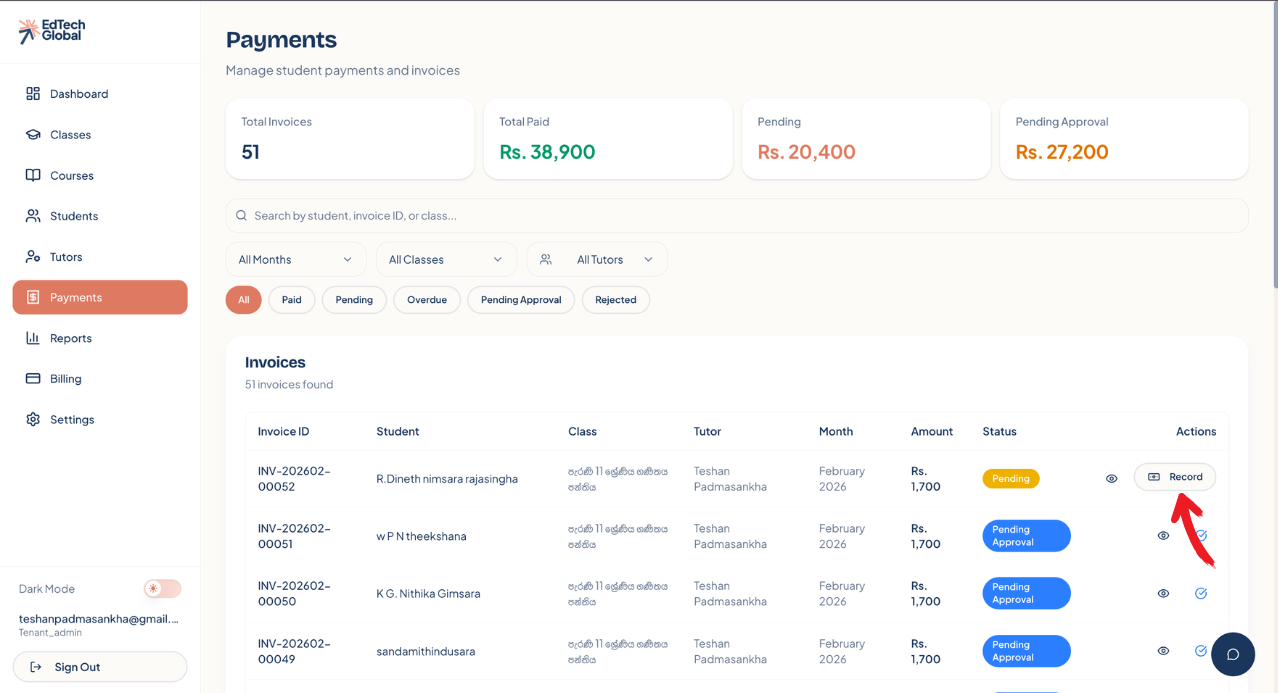
To see which payments need your attention, navigate to the Payments tab.
You can quickly filter the list by clicking the Pending Approval button at the top of the list. This will show only the invoices where students have submitted payment proof.
2. Review and Approve
In the invoices list, look for the Pending Approval status (blue badge).
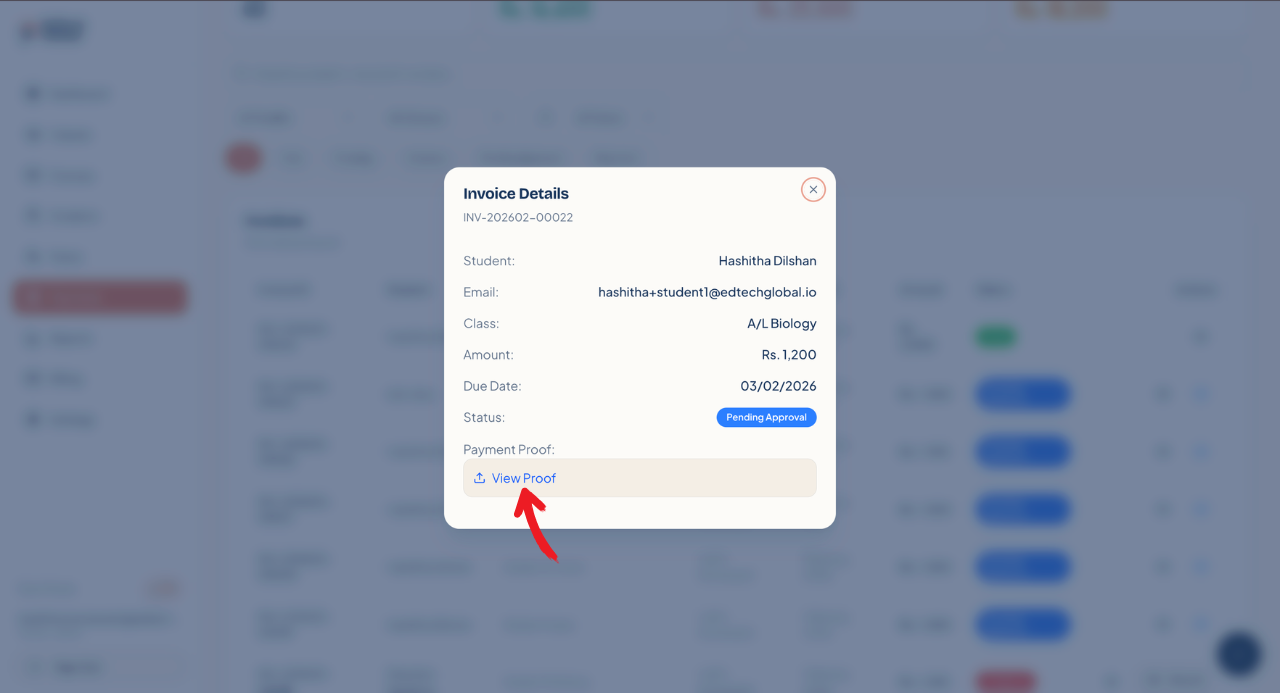
Click the Eye Icon or the Checkmark button next to the invoice to open the review window.
Check Proof: Click View Submitted Proof to see the image or document the student uploaded.
Approval Options
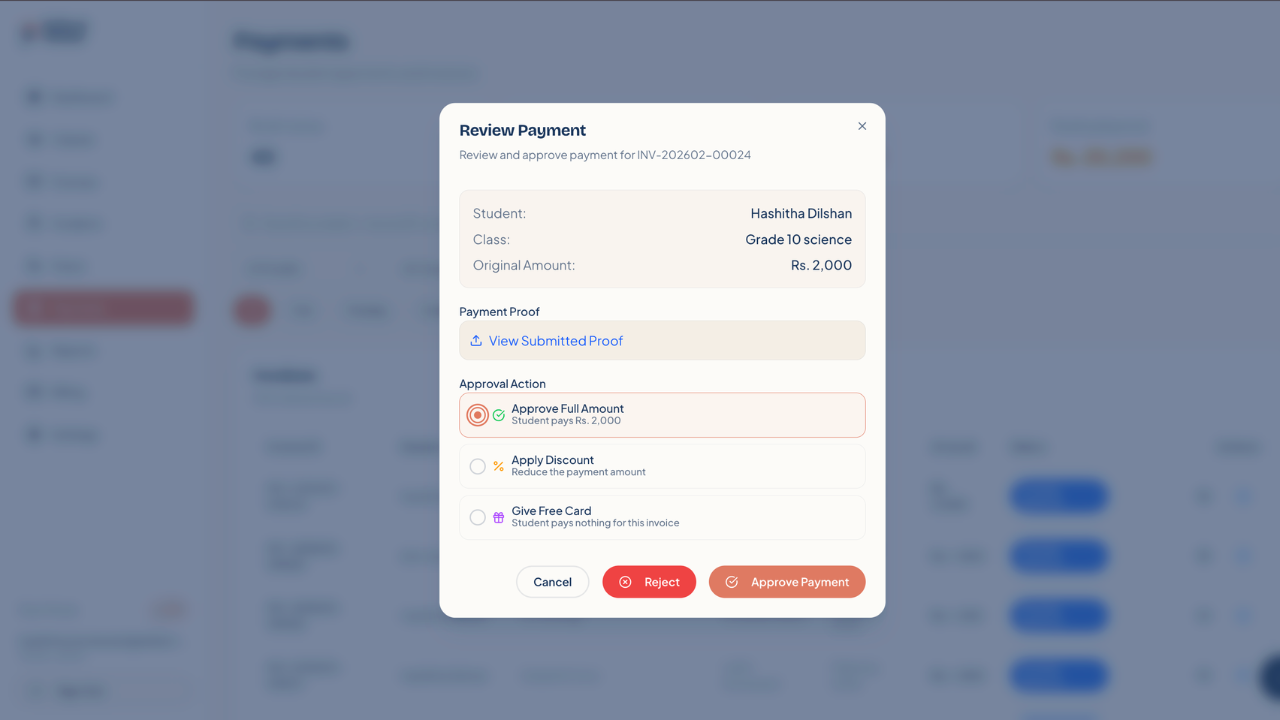
If the payment is correct, you have three ways to approve it:
Approve Full Amount: Select this if the student paid the exact fee. Click Approve Payment to finish.
Apply Discount: Select this if you want to waive part of the fee (e.g., for early payment). You can enter a percentage and a reason.
Give Free Card: Select this to grant full access without payment (e.g., for scholarship students).
Rejecting a Payment
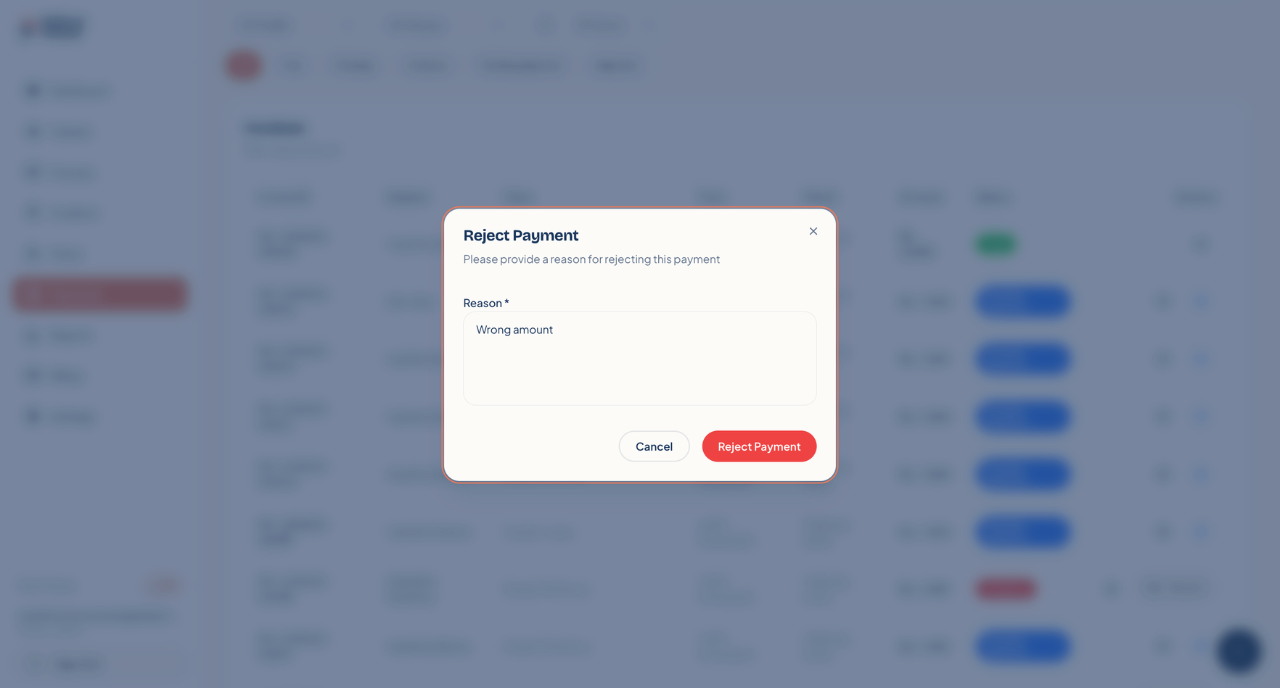
If the uploaded proof is unclear, incorrect, or missing, click the Reject button (red). You will be asked to provide a reason (e.g., "Illegible receipt" or "Wrong amount"). The student will be notified to try again.
3. Recording Manual Payments (Cash/Direct)
Sometimes a student might pay you in cash or transfer money without uploading a slip. In this case, the invoice remains Pending or Overdue, and you need to mark it as paid yourself.
Locate the invoice in the list.
Click the Record button on the right side.
In the pop-up window, select the Payment Method (e.g., Cash, Bank Transfer).
Enter the Payment Date and any notes.
Click Record Payment.
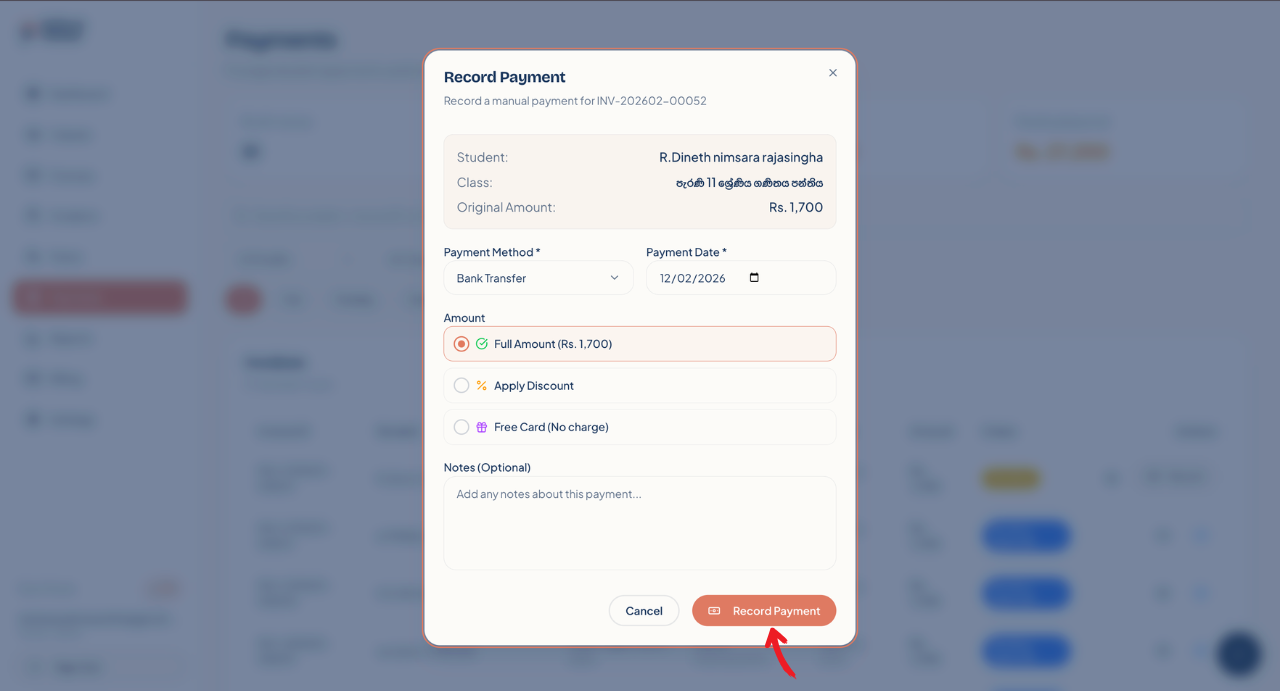
The invoice status will immediately change to Paid, and the student will receive access to the class.