Invite students to your sessions instantly via direct link, email, or SMS.
1. Locate your class
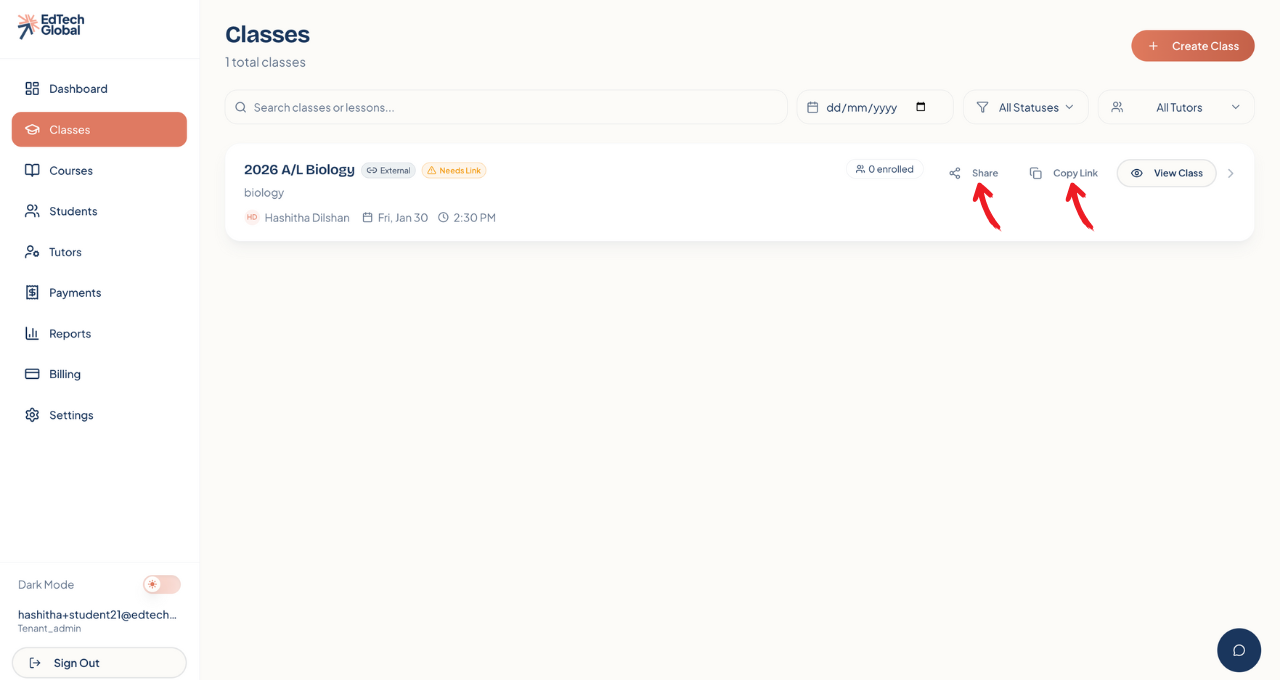
Navigate to the Classes tab on the left sidebar. Here you will see a list of all your active classes.
Find the specific class you want to share (e.g., "2026 A/L Biology"). You will see two sharing options right on the class card: Share and Copy Link.
2. Option A: Copy the direct link
This is the fastest way to share your class on social media, WhatsApp groups, or your own website.
Click the Copy Link button next to the class name.
The unique registration URL is now saved to your clipboard.
Paste it anywhere! When students click this link, they will be taken directly to the enrollment page for this specific class.
3. Option B: Send direct invitations
If you already have a list of student contact details, you can invite them directly through the platform.
Click the Share icon button.
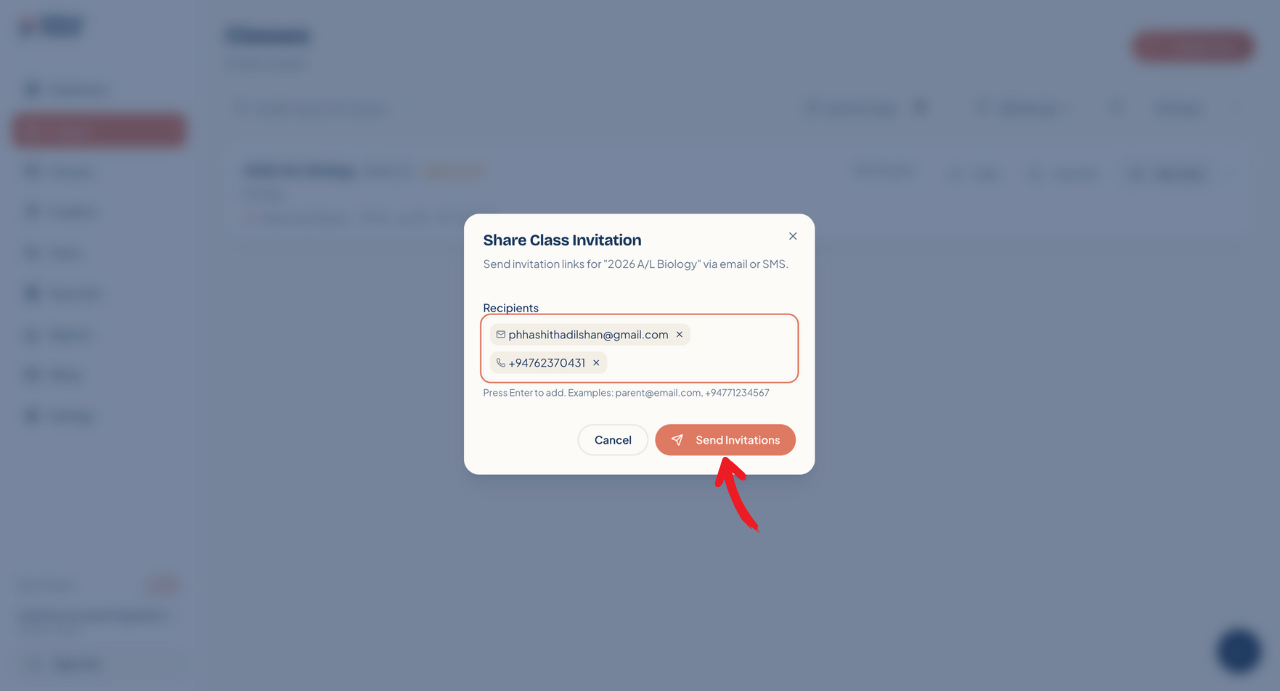
A "Share Class Invitation" pop-up window will appear.
Enter recipients: Type in the Email Address or Phone Number of the student. You can add multiple students at once—just press "Enter" after each one.
Click Send Invitations.
Your students will immediately receive a notification with a secure link to join your class.